DubMenu TV
Publish a branded, readable menu board to one to four displays. Staff edit from a phone while the board stays on the wall.
$99/month per location
Start 30-day free trial
Paste your Dutchie or Weave IQ menu link, pair a TV, and get started in minutes. Your boards refresh stock, prices, deals and new products on their own, about every 15 minutes while a TV is active.
Edit one catalog from your phone for up to four TVs and a searchable QR menu. CSV and manual menus stay in your hands.
$99/location/month for TV · $30 for QR · $129 for both · 30-day trial, card required
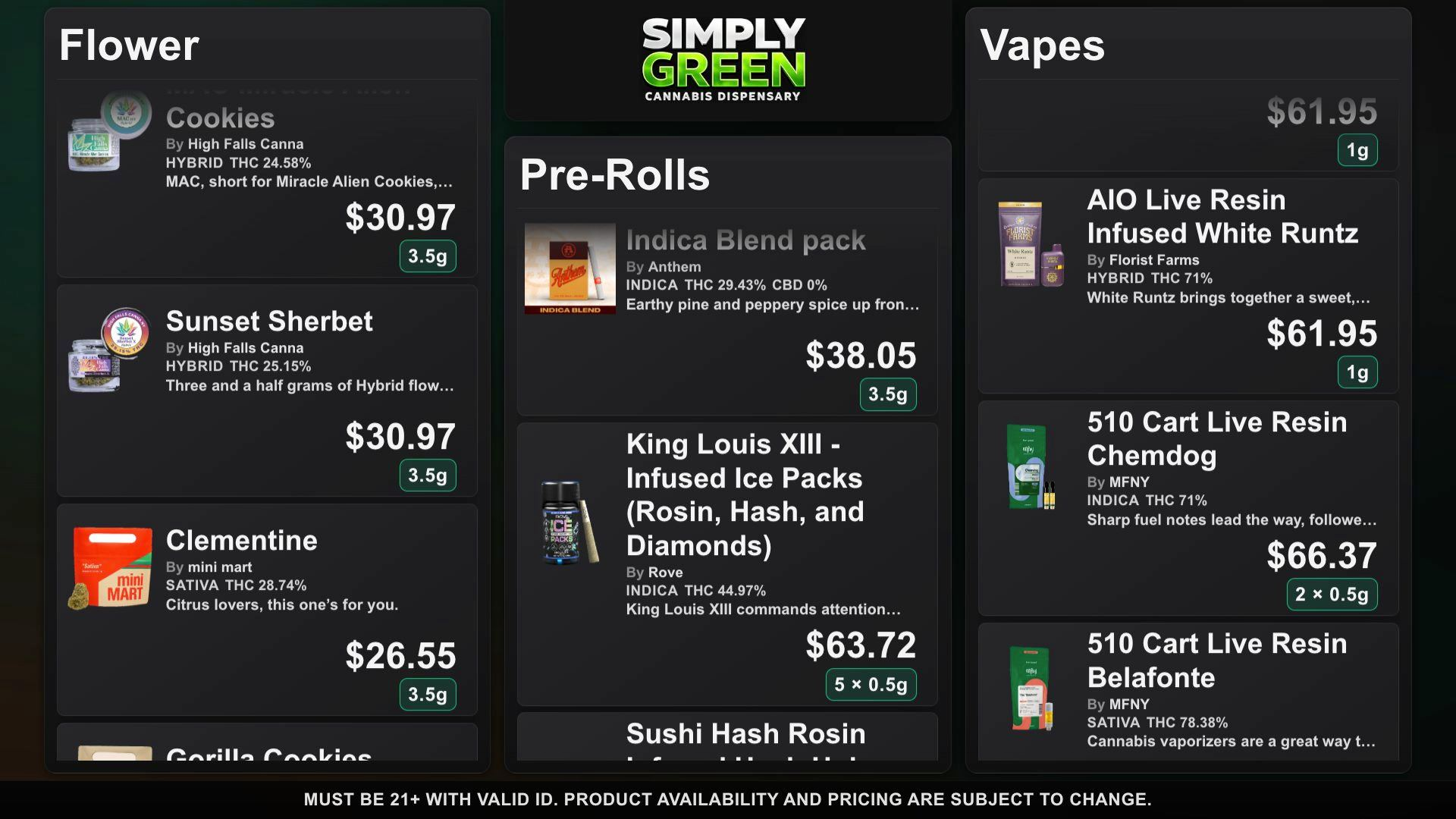
A DubMenu TV board. Open the interactive TV demo.
The printed menu by the register was stale before lunch. The TV above it still shows last week's prices, because updating it means finding the remote, the USB stick, or the one person who knows the login.
DubMenu puts the board on the phones your staff already carry. Authorized staff can fix a price or pull a sold-out item from the dashboard.
Both products use the same DubMenu account, catalog, imports, prices, and stock controls.
Publish a branded, readable menu board to one to four displays. Staff edit from a phone while the board stays on the wall.
Give customers a searchable mobile menu through one permanent QR link. Host it with DubMenu or point scans to your own website.
Pair the screen, import your catalog, and choose how it moves.
Use a TV or streaming stick with a compatible web browser and internet access. The screen shows a QR code and a six-digit pairing code.
The phone becomes the remote control. No app install, and the TV never needs a keyboard, mouse, or account password.
Add products, change prices, toggle stock, switch themes. The board follows over a live connection.
Start with 24 presets and full color, logo and font control. DubHaven also designs bespoke boards: custom layouts, typography and animated ambient backgrounds built around your brand. Ask about bespoke design.
Dutchie and Weave IQ menus refresh stock, prices and deals about every 15 minutes while a TV is active. Phone edits reach connected TVs.
Import from Dutchie, Weave IQ, or CSV. Keep THC, CBD, and other available cannabinoid details alongside prices and weight chips. Review uncertain product matches before publishing.
Pair up to four displays per location. All four share one catalog, so products and prices stay consistent across the shop.
Control your logo, colors and fonts. Ask DubHaven for a bespoke board with brand-specific layouts, typography and animated ambient backgrounds.
The TV renderer scales its 1920×1080 canvas to the connected display while preserving the full menu composition.
No keyboard or mouse on the TV. Staff manage everything from the phone in their pocket.
Choose continuous scroll for a flowing menu or page rotation for timed, readable screens.
DubHaven single sign-on connects your account. A shared 21+ gate carries age verification across DubHaven properties.
Give products the spotlight with image-first cards, readable potency details and weight chips. Choose among 24 themes, control colors, logo and fonts, or ask DubHaven for bespoke layouts, typography and animated ambient backgrounds.
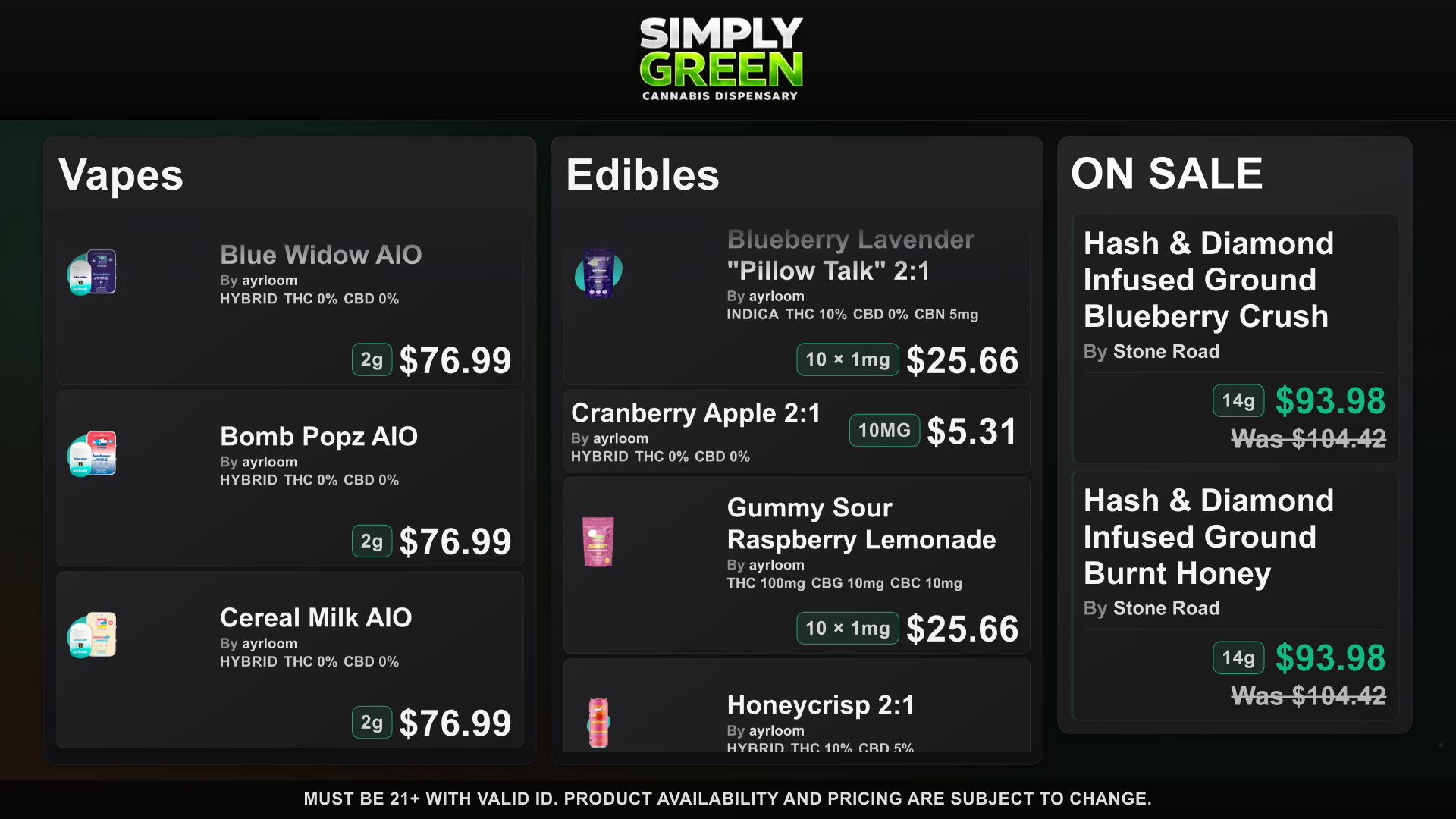
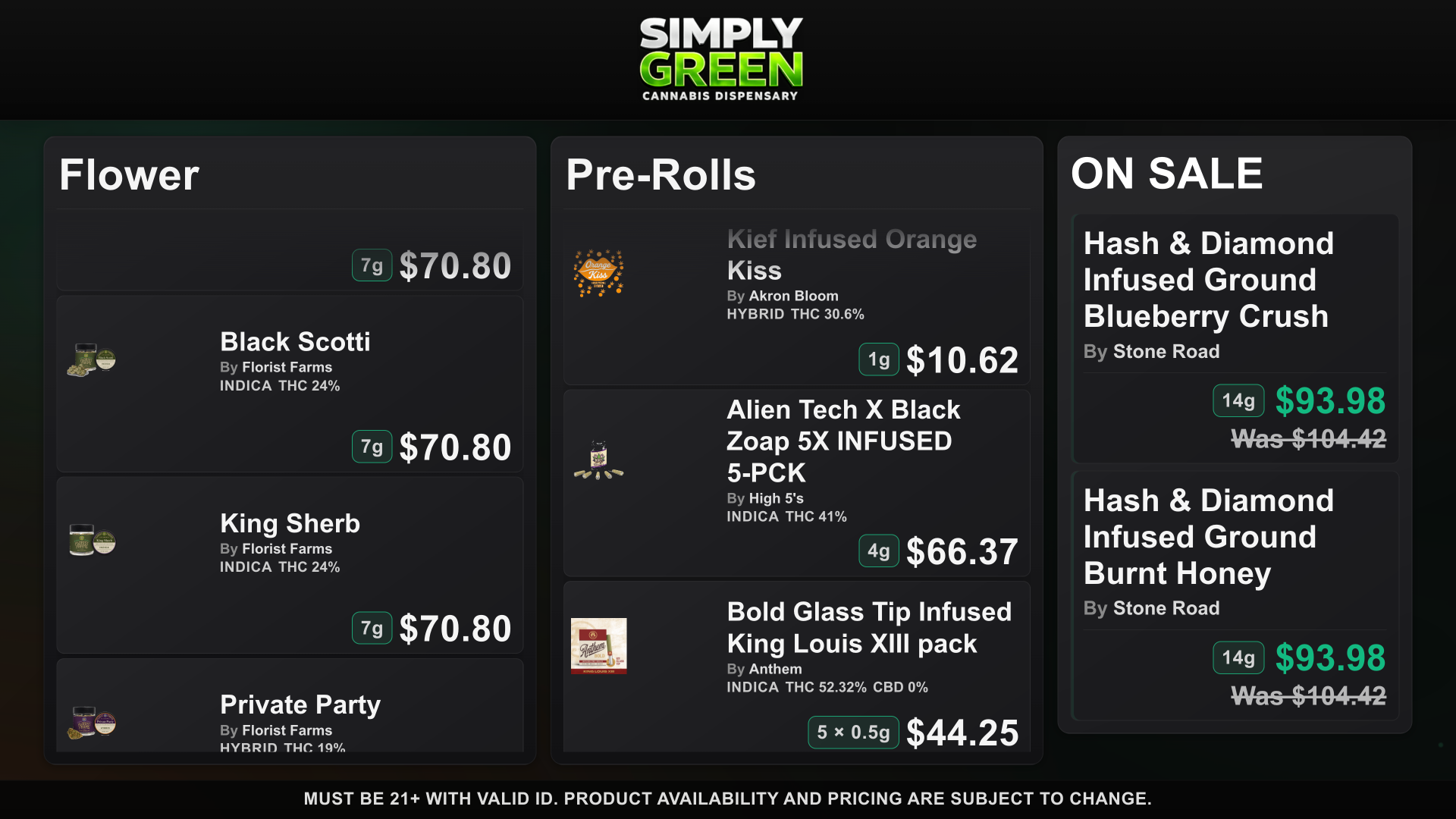
Everything a dispensary menu needs, at one clear price, with nothing to install.
About $25 a screen. No setup fee, no proprietary player to buy, no per-screen add-ons.
Change a price, hide a sold-out product or run a deal from the floor. Every connected board updates live.
Weights, potency, strain type, packages and sale pricing are first-class fields, not text boxes on a generic sign.
The same catalog feeds your TVs and a permanent QR menu on your customers' phones. Both together are $129 a location.
Paste a Dutchie or Weave IQ menu link and pair your TV. Stock, prices, deals and new products refresh automatically about every 15 minutes while a TV is active. You can still edit any product by hand.
Pair a screen, import your menu and see it on the wall before you pay. Cancel any time during the trial.
See how DubMenu compares with GreenScreens, DopeCast, BudSense, Seed Signage and other menu boards. Prices come from each vendor's public pages, checked September 28, 2026.
DubLedger is the cannabis point of sale from the DubMenu team, in beta. Use its menu link as your DubMenu source and stock and prices reach your TVs on their own, about every 15 minutes. One DubHaven account for both.
DubMenu customers pay $70 per location per month for DubLedger (regular beta price $99), applied at checkout.
Each product starts with a 30-day trial. Choose TV, QR, or manage both from one account.