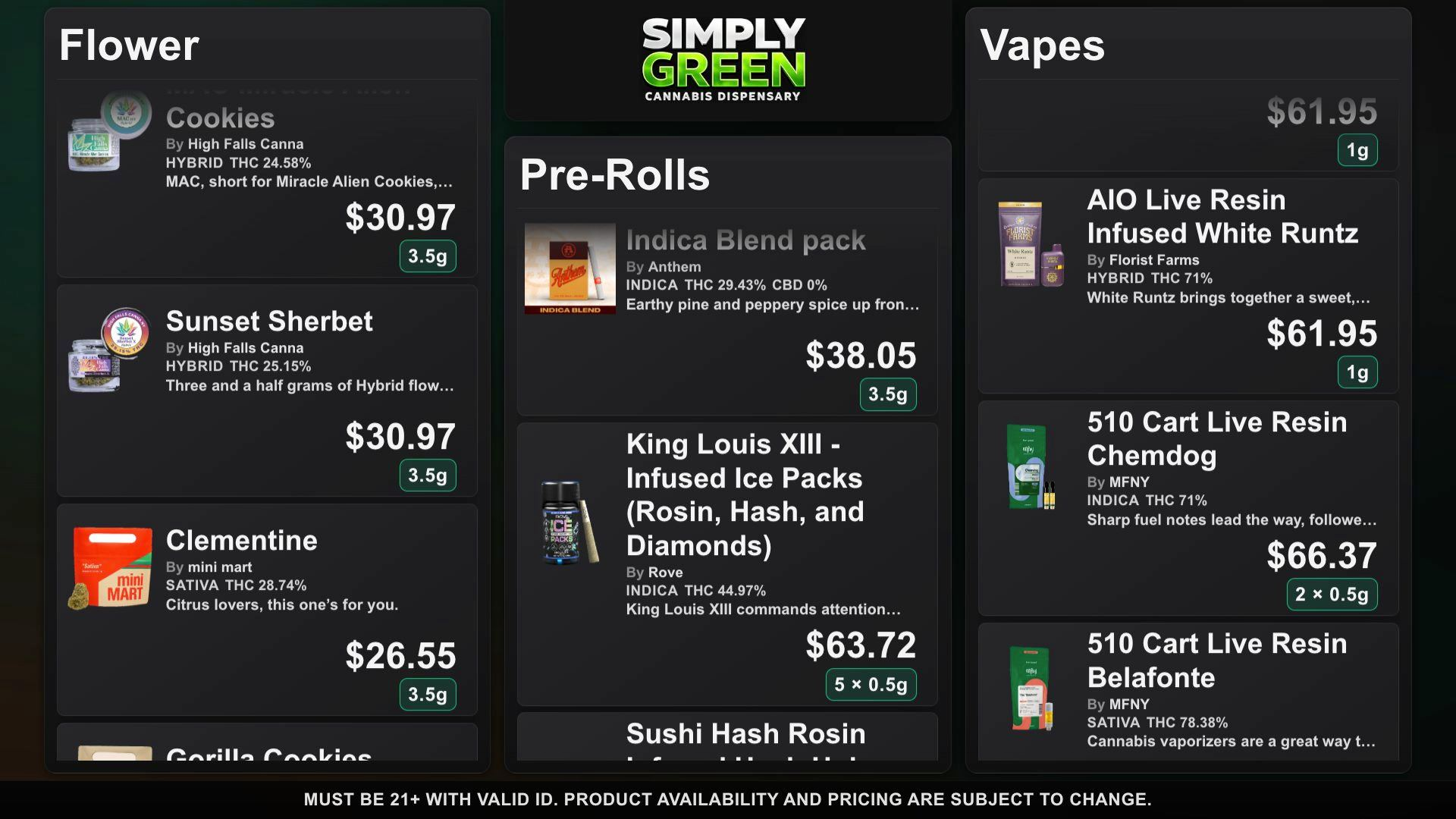
A dispensary digital menu board is a product catalog rendered on a screen where customers can read names, sizes, potency details, and prices. It is not the same thing as an online checkout. A good board must stay legible from the counter, show the current products, and give staff a way to fix a price without designing a new slide.
DubMenu TV turns a browser-equipped screen into a board. Start with one display and pair up to four at one location for $99 per month. Each screen uses the same location catalog. Screen category assignments can differ, so a flower screen and an edibles screen can share product data without becoming separate catalogs.
Test the browser before you buy equipment
Open the interactive TV demo on the television or streaming device you plan to use. Check its browser, network connection, text size from the customer line, and whether the browser can remain open during store hours. DubMenu uses a 1920×1080 board canvas that scales to the connected display. A browser-equipped smart TV or streaming stick can work; compatibility depends on the browser, so test your exact model. You supply the screen and connection. If a display drops its connection, investigate the browser or network before treating the catalog as current on that screen.
Pair each display from your phone
Open the TV address in the browser and read the six-digit pairing code shown on screen. Sign in on a phone, choose the location, and enter the code to pair the TV. Repeat for a second, third, or fourth display. Pairing avoids typing the operator password on a public screen. Authorized staff edit products from the dashboard; screen content follows published edits over a live connection. That live connection is between DubMenu and the TV, not between your POS and DubMenu.
Decide how the catalog reaches the board
Enter products manually or bring in an existing catalog using a Dutchie public-menu URL, a Weave IQ menu or a DubLedger store link. Review names, images, weights, cannabinoid fields, prices, and availability before publishing. Dutchie and Weave IQ boards automatically refresh stock, prices, deals and new products about every 15 minutes while a TV is active. You can force a full source re-import with Re-sync menu. Menus you enter by hand are edited by hand. See the import instructions for field and format details.
Design for distance and different categories
Choose a layout and a color scheme independently; the current picker includes 24 themes with full color, logo and font control. DubHaven also creates bespoke layouts, typography and animated ambient backgrounds on request. Use photos where they help recognition, and confirm that prices and weight chips stay readable from the place customers actually stand. Continuous scrolling works for a long menu; timed page rotation gives each group a full screen for a set interval. Featured Deals and manual specials can highlight specific items. With multiple TVs, category subsets may vary by screen, but changes to the shared product catalog apply throughout the location.
Know what the board does not certify
DubMenu provides a shared 21+ site gate and editable disclaimer text. Neither substitutes for your regulator’s requirements for advertising, medical menus, cannabinoid disclosure, or screen placement. Verify displayed prices, potency, age messaging, and stock state against your own records. Ask your regulator or counsel before displaying promotional claims. DubMenu does not certify regulatory compliance. Dutchie and Weave IQ menu refresh is one-way; changes you make in DubMenu do not update the source.
Budget the whole setup
The TV subscription is $99 per month per location for up to four paired displays, not $99 per TV. One TV costs the same as four; with four in use, the subscription works out to $24.75 per screen per month. QR Menu is separate at $30 per month, making both subscriptions $129 monthly. A 30-day trial requires a card; the trial has no subscription charge. There is no DubMenu setup fee. Include the cost of screens, streaming hardware if needed, mounting, network access, and the staff time to review imports.
Frequently asked questions
Can four TVs show different categories?
Yes. Paired screens share one location catalog, while screen settings can select different category subsets. They are not four independent product catalogs.
Will a TV keep updating if its browser loses internet?
A live browser connection is needed for published edits to reach the TV. Check the device and network rather than assuming a disconnected screen is current.
Where can I see the actual display?
Open the live TV demo on the browser you plan to use before installing.