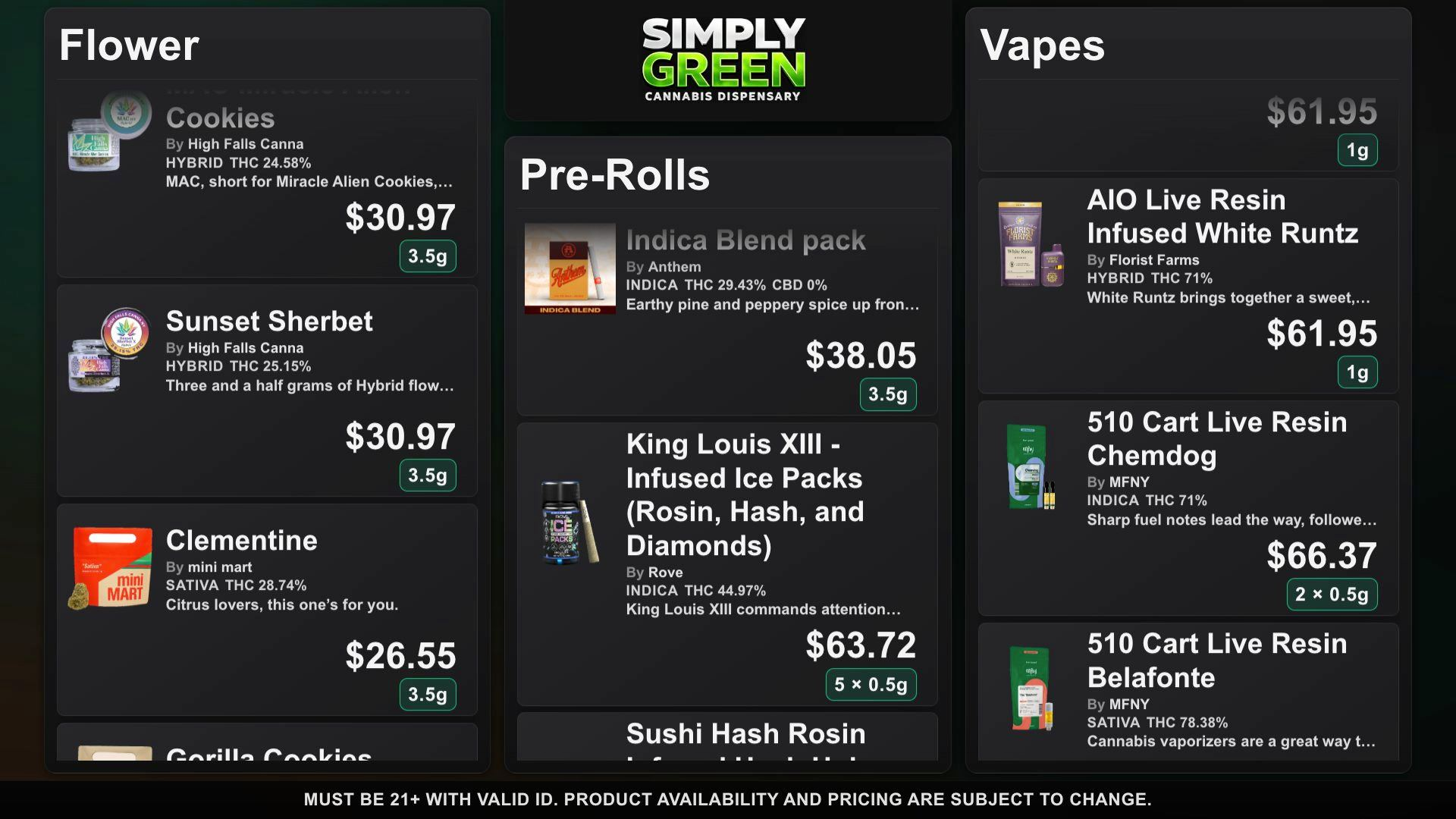
A TV menu can be a static image, a generic signage playlist, a connected-source display, or a product catalog with staff-controlled updates. These options require different work after launch. Buy for the daily workflow, not a screenshot. Write down how many categories you sell, who approves prices, and how the cashier will spot a discrepancy.
DubMenu publishes a shared catalog to one to four browser-equipped TVs at a location. Staff edit products on a phone; an authorized edit can reach the connected screens. Connect your Dutchie public menu or Weave IQ menu for automatic stock, price, deal and new-product refresh about every 15 minutes while a TV is active. Menus you enter by hand are edited by hand.
Pick a screen that runs the demo
Use the interactive demo to test the exact smart TV browser or streaming stick you intend to install. Measure from the customer line rather than your desk. Verify that categories, prices, and weights remain readable at that distance, and that the device keeps its browser open during trading hours. Include mounting height, glare, Wi-Fi coverage, power outlets, and remote access to the browser in your installation plan. Hardware and connectivity are supplied by the operator, not the DubMenu subscription.
Draw the update path on paper
Start at the POS or product source. Trace how a sold-out item, corrected price, or incoming delivery reaches the board. For Dutchie and Weave IQ menus, DubMenu checks the saved source about every 15 minutes while a TV is active and adds new products. Authorized staff can still edit the shared catalog from a phone. Menus you enter by hand are edited by hand. Other POS systems are not connected; confirm a vendor’s supported sources and refresh interval before choosing.
Give each TV a job
A single screen can rotate through categories; four may split category subsets around the room while sharing one product catalog. DubMenu supports up to four paired displays at a location. It does not offer four separate catalog subscriptions for that one location price. Use a six-digit pairing code on each TV so nobody needs to enter a dashboard password on a public screen. Check that the correct display has the correct category subset after pairing and after changing the room layout.
Design for a crowded counter
Choose whether the menu should scroll continuously or rotate pages at a timed interval. An image-led layout can help shoppers identify products, but small type can hide a crucial price or potency figure. DubMenu offers 24 themes with full color, logo and font control, plus photos, weight chips, available cannabinoid details and manually featured deals. DubHaven designs bespoke layouts, typography and animated ambient backgrounds on request. Test high-contrast combinations and long product names on the real screen. Verify that specials are current and that a missing photo does not make the item hard to find.
Compare monthly cost by screen count
DubMenu TV is $99 per month per location for one through four screens, not $99 for each screen. At full use the arithmetic is $24.75 per screen monthly; using one still costs $99. QR Menu is separately $30 monthly for a permanent mobile menu link and hosted search. Both products together total $129 monthly per location. Each includes a 30-day card-required trial without a trial subscription charge and no setup fee. Other vendors may charge by display or by location, with annual-billing requirements or setup costs; compare those separately.
Plan the phone menu separately
A QR code sends customers to a destination on their own phones; it does not replace a TV screen. DubMenu QR Menu can link to its hosted searchable catalog or redirect to a custom HTTPS page while keeping the printed code the same. It also offers a website iframe and image/vector QR exports that can be printed. Decide whether customers should see a view-only menu, a separate online ordering site, or both; DubMenu itself is not a checkout flow. Test the QR link on an ordinary customer phone before printing signs.
Check legal and operational boundaries
DubMenu has a shared 21+ gate and editable disclaimers, but these are not state approval for a menu design or promotion. Your team remains responsible for displayed prices, available inventory, potency fields, and advertising language. Consult your state regulator and counsel on adult-use versus medical requirements before showing a promotional board. Assign a daily review owner, including a fallback plan when the screen has no browser or network connection. A durable board process is one staff can follow during a busy shift.
Frequently asked questions
Do I have to buy a dedicated player?
No proprietary player is required. Test your existing TV browser or streaming stick with the live demo; provide internet and compatible hardware.
Can every TV have independent inventory?
No. The four supported displays share one location catalog, although you can select different category subsets for different screens.
What should a staff checklist include?
Confirm the TV is connected, review displayed prices and availability, and check disclaimers against local rules. Dutchie and Weave IQ refresh automatically about every 15 minutes while a TV is active; use Re-sync menu to force a full re-import if needed.